Hyvo features
Publishing, automation, engagement and analytics, plus Hyvo AI across all of them. Every screen below is from the product.
Connect Your Platforms
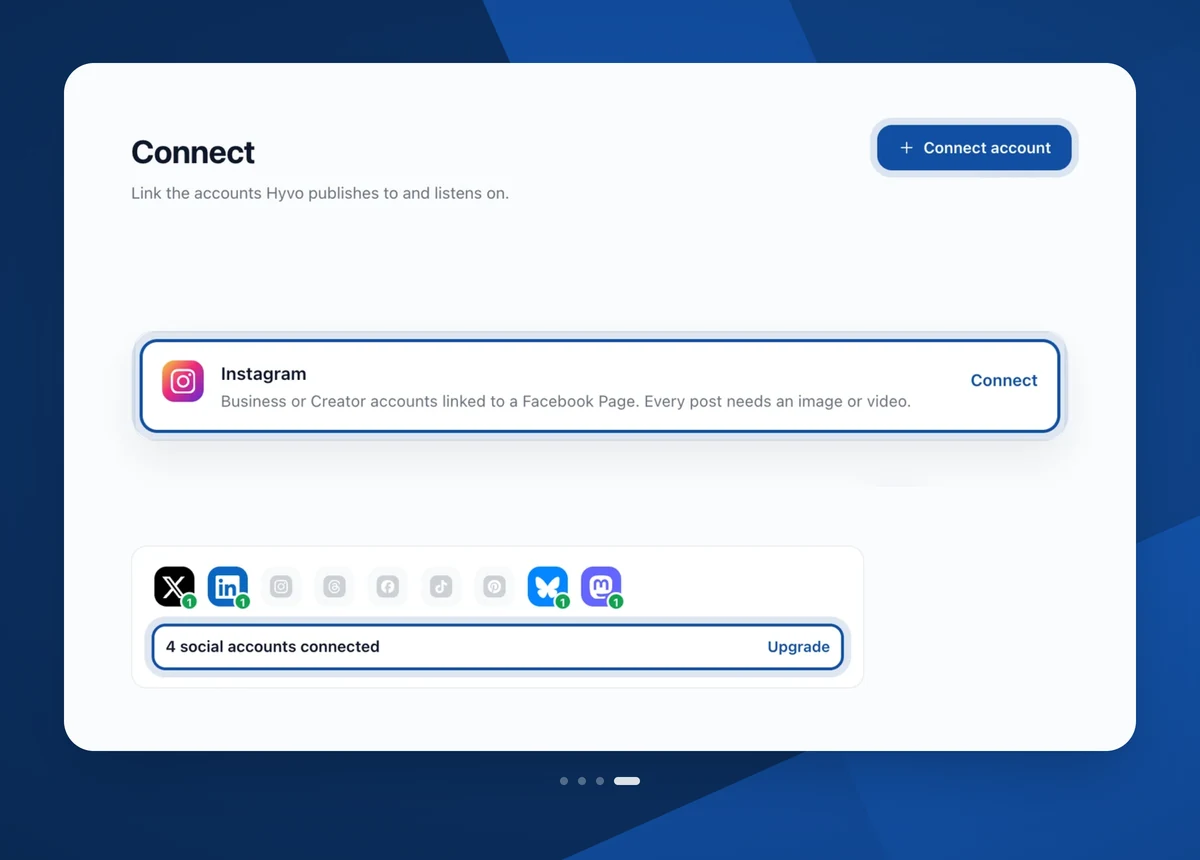
Sign in to your accounts once and they appear together in the composer, on the calendar and in your analytics. Hyvo only posts through accounts you connect yourself.
- X, LinkedIn, Instagram, Threads, Facebook, TikTok, Pinterest, Bluesky, Mastodon
- One row of accounts, ticked or unticked per post
- Each account keeps its own limits and its own numbers
Content Creation
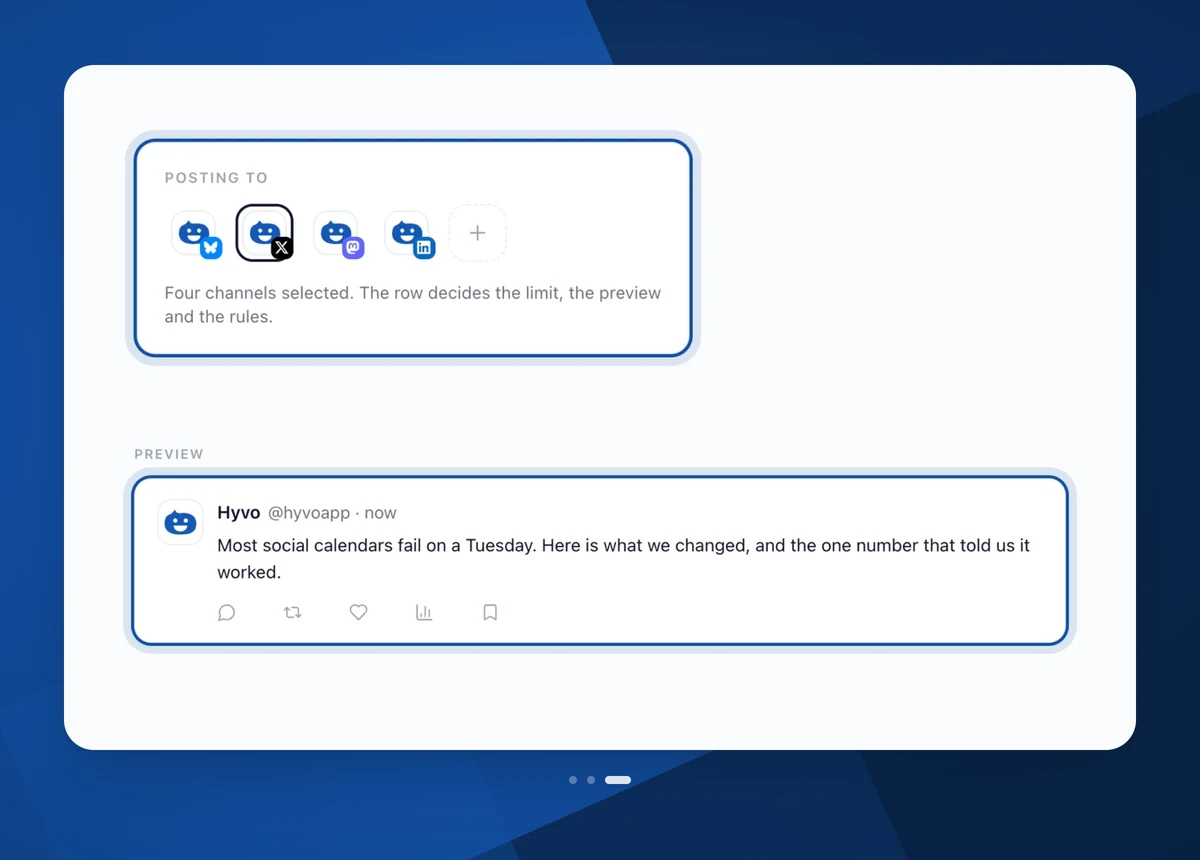
Type the post yourself or ask Hyvo AI for a first draft. A live preview shows each network's layout, and the counter tracks the real limit for the account you are previewing.
- Live preview per network, in that network's layout
- A separate version for any channel that needs one
- AI Assist aimed at the channel you're previewing
Automation
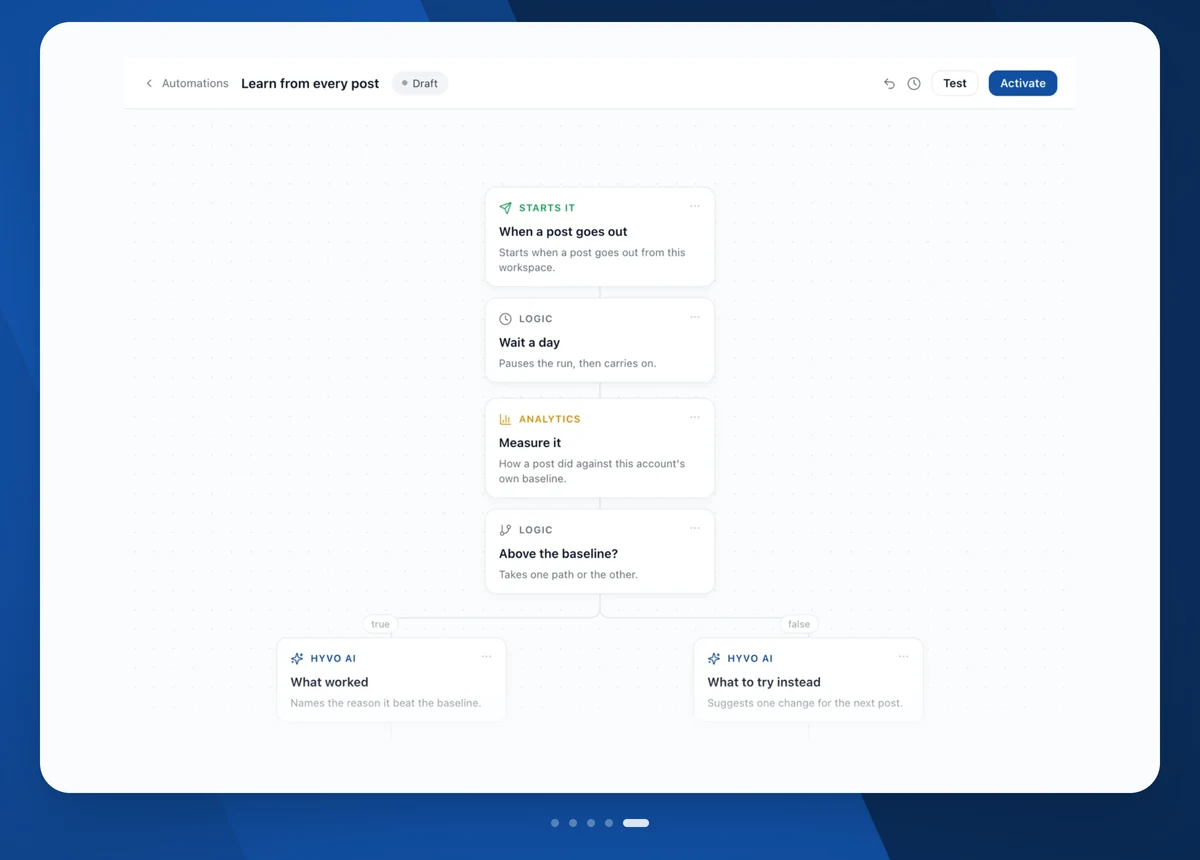
Describe the routine in a sentence: when it starts, what happens, and what you want at the end. Hyvo assembles the steps. Read them before switching it on, and add an approval step in front of anything that publishes.
- Describe it in plain English, then check what Hyvo built
- Ask me first holds a run until you approve it
- Every run logs which step did what, and why it stopped
Engagement & Analytics
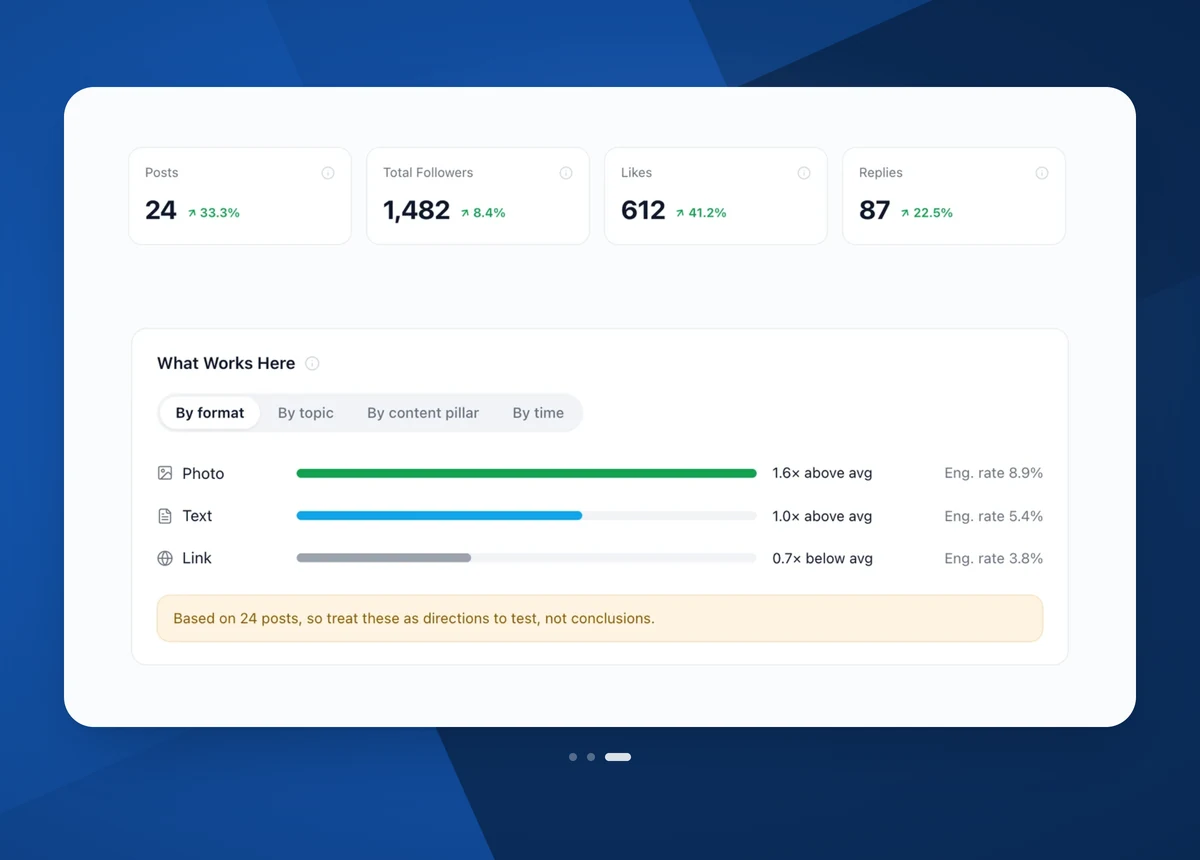
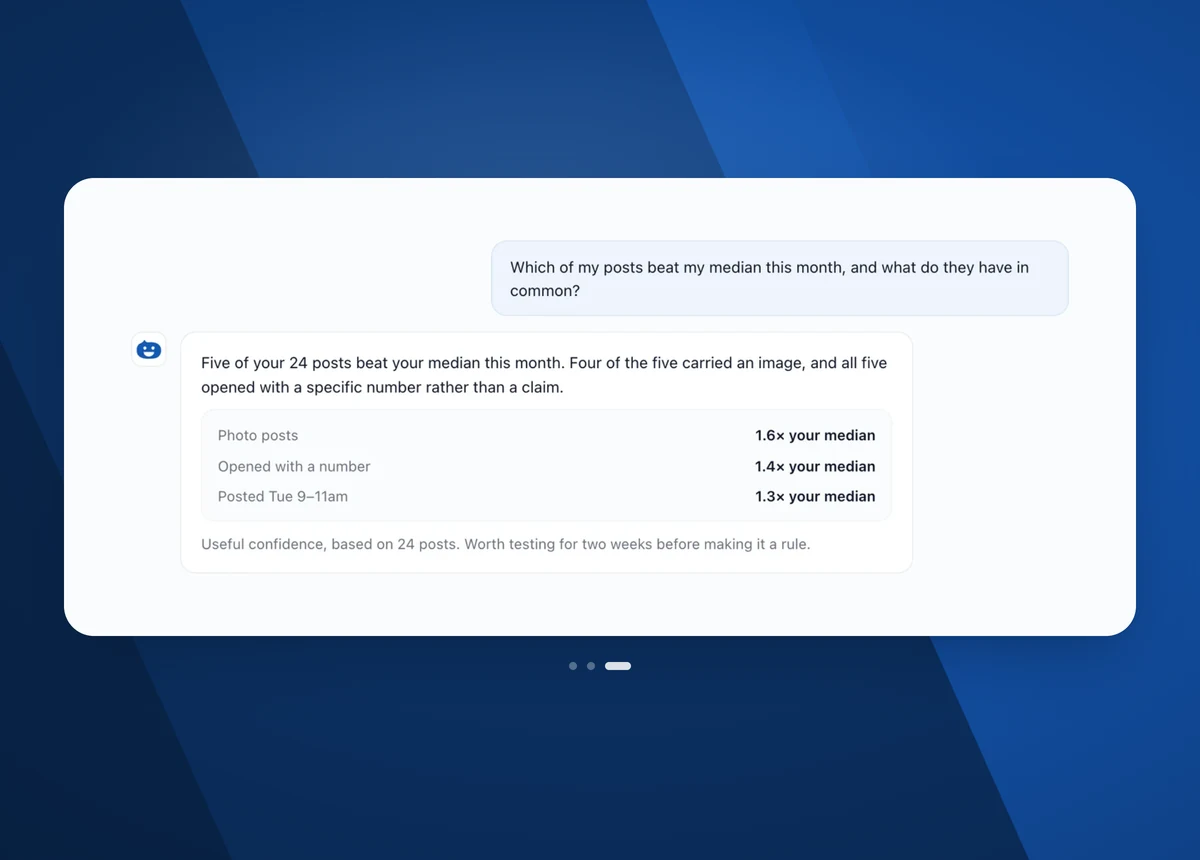
Mentions and comments land in one inbox, filtered to what still needs an answer. Analytics ranks posts against your own median rather than an industry average, and shows how many posts a pattern is based on.
- One inbox, sorted by what still needs a reply
- Ranked against your own median, not a benchmark
- Sample size shown, so you know what to trust
Hyvo AI: Chat and Agent
Chat answers a question while you keep working. Agent takes a whole job, such as a report, a content plan or a batch of posts, and returns it finished. Same thread, one switch between the two modes.
- Chat for questions, Agent for finished work
- Starts from your brand memory rather than a generic voice
- Reads your own posts and numbers before it suggests anything
Brand memory
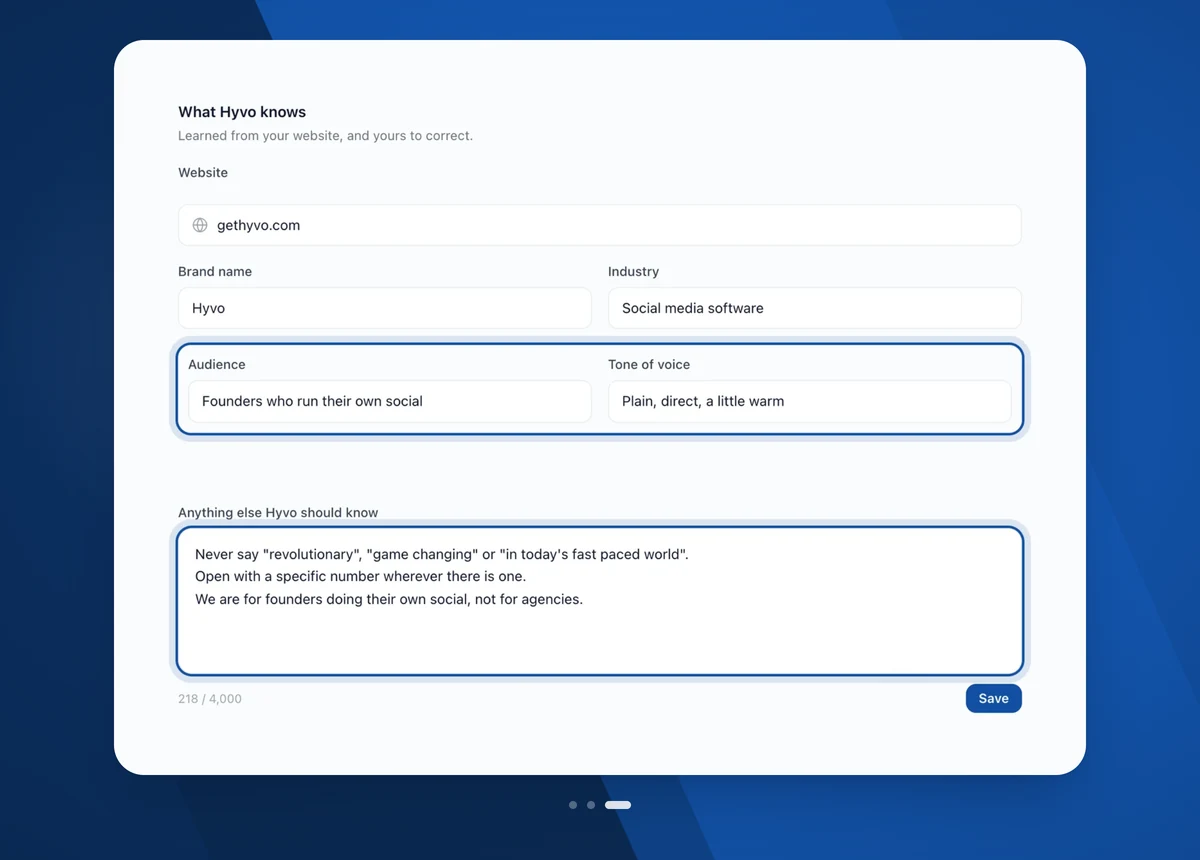
Your brand name, industry, audience, tone of voice and the rules you set. Hyvo reads your website for a first pass, then you correct it, including the list of words you never want it to use.
- A first pass read off your own website, then yours to fix
- Tone of voice and audience, written down once
- Standing instructions Hyvo follows whenever it writes or schedules
Stop guessing. Post with Hyvo.
Free to start, no credit card. Write, schedule and publish from one workspace.
Get started for free