How to Connect Facebook to Hyvo
Facebook connects as a Page, not a profile. Here is how to connect one, what Hyvo can publish, and which numbers come back.

Quick guide
Connect Facebook from Connect in Hyvo and approve the permissions on Meta's screen. It connects as a Page you administer, takes text with or without media, and reports reactions, comments and shares.
- Make sure you are an admin of the Facebook Page.
- In Hyvo, open Connect, press Connect account and choose Facebook.
- Approve the permissions on Meta's own screen.
- Choose the right Page if Meta offers you several.
- Publish or schedule. Facebook takes text only posts, unlike Instagram.
The full walkthrough is below.
Facebook is a Page connection. Your personal profile is not something Hyvo publishes to, and that is Meta's rule for every third party tool rather than a decision on our side.
How to connect a Facebook Page
Open Connect, press Connect account, choose Facebook.
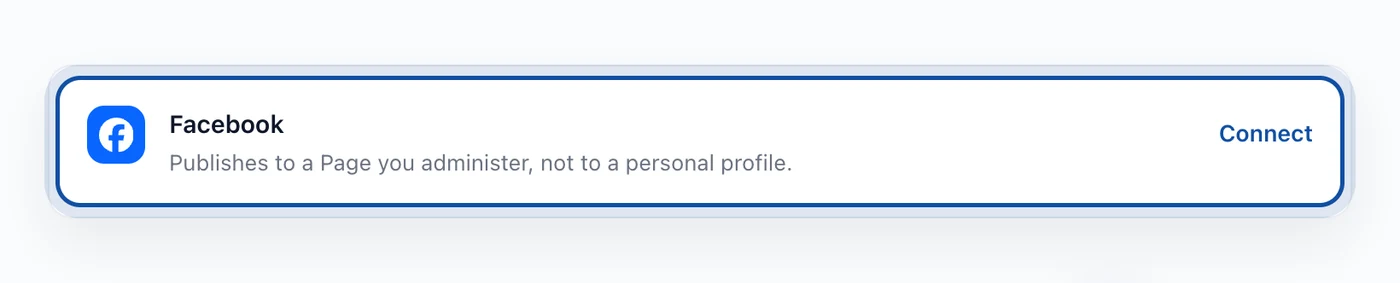
Meta takes over from there. You sign in on their screen, and they show you the Pages you administer. Pick the one you want. This is the screen people rush, so it is worth a second look: if you administer several Pages, the wrong one is one click away.
Approve the permissions and you land back in Hyvo with the Page connected.
If your Page does not appear in Meta's list, you are probably not an admin of it. Editor and moderator roles are not enough for publishing through an app.
What Hyvo can do with Facebook
Publish text posts, with or without an image. Facebook's character limit is 63,206, which in practice means the limit is your reader's patience rather than the API.
Schedule for a time you pick.
Read reactions, comments and shares on posts Hyvo published.
No reach figure. Facebook does not return impressions or reach to this connection. Analytics shows the responses it receives.
Like LinkedIn, the record starts when you connect. Posts published to the Page before that are not handed over by the API, so Hyvo has nothing to show for them.
Facebook and Instagram together
If you also run Instagram, the two are linked at Meta's end. Instagram's publishing runs through the Facebook Page it is attached to, which is why connecting Instagram asks for a Business or Creator account with a Page behind it.
Connecting both in Hyvo is still two separate connections. One does not imply the other, and disconnecting one leaves the other alone.
If the connection stops working
Meta expires tokens, and changing your Facebook password or removing Hyvo from your Meta app settings ends the connection at once.
The row will say so and offer Reconnect. It runs the same permission screen you saw the first time and leaves your scheduled posts, history and analytics alone.
FAQs
Can I post to my personal Facebook profile?
No. Hyvo publishes to Pages. Meta does not open personal profile publishing to third party tools.
My Page is not in the list. Why?
You need the admin role on that Page. Editor and moderator are not enough for app publishing.
Does connecting Facebook connect Instagram too?
No. They are separate connections in Hyvo, even though Instagram's publishing runs through a Facebook Page at Meta's end.
Does Hyvo show Facebook reach?
No. Facebook does not report a reach figure through this connection, so Hyvo shows reactions, comments and shares.
How long can a Facebook post be?
63,206 characters. The practical limit is much lower than the technical one.
About the author

Founder, Hyvo
Subarna Basnet is the founder of Hyvo, an AI-powered platform helping businesses create, manage, and automate social media marketing. He writes about AI, social media automation, content creation, and marketing technology.