How to Connect Instagram to Hyvo
Instagram only lets tools publish to Business and Creator accounts linked to a Facebook Page. Here is how to check yours, connect it, and what Hyvo can see afterwards.

Quick guide
Switch Instagram to a Business or Creator account and link it to a Facebook Page, then connect it from Connect in Hyvo. Every Instagram post published through Hyvo needs an image or a video.
- In the Instagram app, make sure the account is Business or Creator, not personal.
- Link that account to a Facebook Page you administer.
- In Hyvo, open Connect, press Connect account and choose Instagram.
- Approve the permissions on Instagram's own screen.
- Remember that Instagram will not accept a text only post, so attach media before you publish.
The full walkthrough is below.
Instagram is the network people get stuck on most often, and almost always for the same reason: the account type. This walks the check, the connection and the two rules that catch people afterwards.
First, check the account type
Instagram does not allow third party tools to publish to personal accounts. Not Hyvo, not anything else. The account has to be Business or Creator, and it has to be linked to a Facebook Page you administer.
That is Instagram's rule and there is no way around it from our side. The good news is that switching is free, takes about a minute, and you can switch back whenever you like.
In the Instagram app: Settings, then Account type and tools, then Switch to professional account. Pick Business or Creator, and when it offers to connect a Facebook Page, connect one. If you do not have a Page yet, make one. It can be empty.
How to connect your Instagram account
In Hyvo, open Connect in the sidebar and press Connect account.
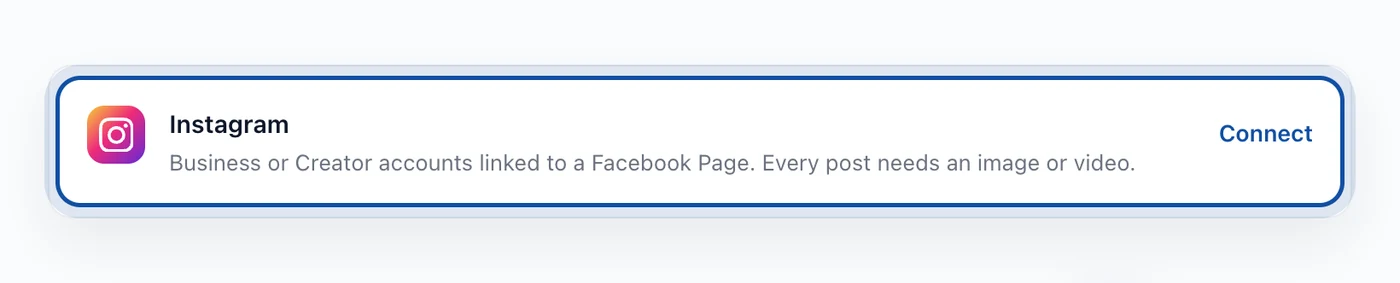
Choose Instagram. Hyvo hands you to Meta's login and permission screen, on Meta's own domain. Approve, and you come back with the account listed.
If Meta shows you a list of Pages and Instagram accounts, pick the pair you actually want to publish to. It is easy to click through this screen quickly and connect the wrong Page.
What Hyvo can do with Instagram
Once connected:
- Publish feed posts with an image or a video.
- Schedule them for a time you pick.
- Read likes and comments on posts Hyvo published.
And the two things that surprise people:
Instagram will not take a text only post. Every Instagram post needs media. Hyvo checks for it in the composer and blocks the publish rather than letting Instagram reject it a second before it goes out. There is no image generation in Hyvo, so the media comes from your machine.
Instagram reports no reach figure to third party tools. You get likes and comments. Impressions and reach are not in what the API returns for this kind of connection, so Hyvo does not show a number it cannot get. If you see a tool quoting Instagram reach, it is either using a different kind of connection or estimating.
The character limit is 2,200, which is far more than any Instagram caption should be.
If the connection stops working
Meta expires tokens on its own schedule, and changing your Facebook password or removing the app from your Meta settings will end the connection immediately.
The account row will say so and offer Reconnect, which runs the same permission screen. Nothing else changes: your scheduled posts, history and analytics stay put. Anything queued while the connection is expired will fail rather than vanish, so it is worth reconnecting as soon as you notice.
FAQs
Can I connect a personal Instagram account?
No. Instagram only allows third party publishing to Business and Creator accounts. Switching is free in the Instagram app and you can switch back.
Do I need a Facebook Page?
Yes, the Instagram account has to be linked to one. The Page can be empty and you do not have to post to it.
Can Hyvo post Stories or Reels?
Hyvo publishes feed posts with an image or a video. Stories are not part of what it publishes.
Why can I not see Instagram reach in Analytics?
Instagram does not return a reach or impressions figure through this connection. Hyvo shows likes and comments, which are the numbers it actually receives.
Can I connect more than one Instagram account?
Yes, up to your plan's account limit. Each connects separately.
About the author

Founder, Hyvo
Subarna Basnet is the founder of Hyvo, an AI-powered platform helping businesses create, manage, and automate social media marketing. He writes about AI, social media automation, content creation, and marketing technology.