What Is Social Media Automation in Hyvo?
An automation is a trigger, some steps and an outcome. Here is what each part can be, what it will not do, and why there is an approval step.

Quick guide
An automation is a workflow that starts on a trigger, runs steps, and produces something. You describe it in plain English and Hyvo builds the canvas. It never publishes without either you saying so in the workflow or an approval step you passed.
- A trigger starts it: a schedule, or something happening like a post going out.
- Steps do the work: wait, measure, ask Hyvo AI, draft, notify.
- Logic steps branch on a condition, so one workflow can handle two outcomes.
- An approval step holds drafts until you have read them.
- Automations are a Premium feature.
The full walkthrough is below.
"Automation" is a word that covers everything from a scheduled post to a robot running your account, so it is worth being specific about what it means here.
In Hyvo, an automation is a workflow: something starts it, some steps run, and something comes out the other end. That is it. The interesting part is what each of those three can be.
What an automation is made of
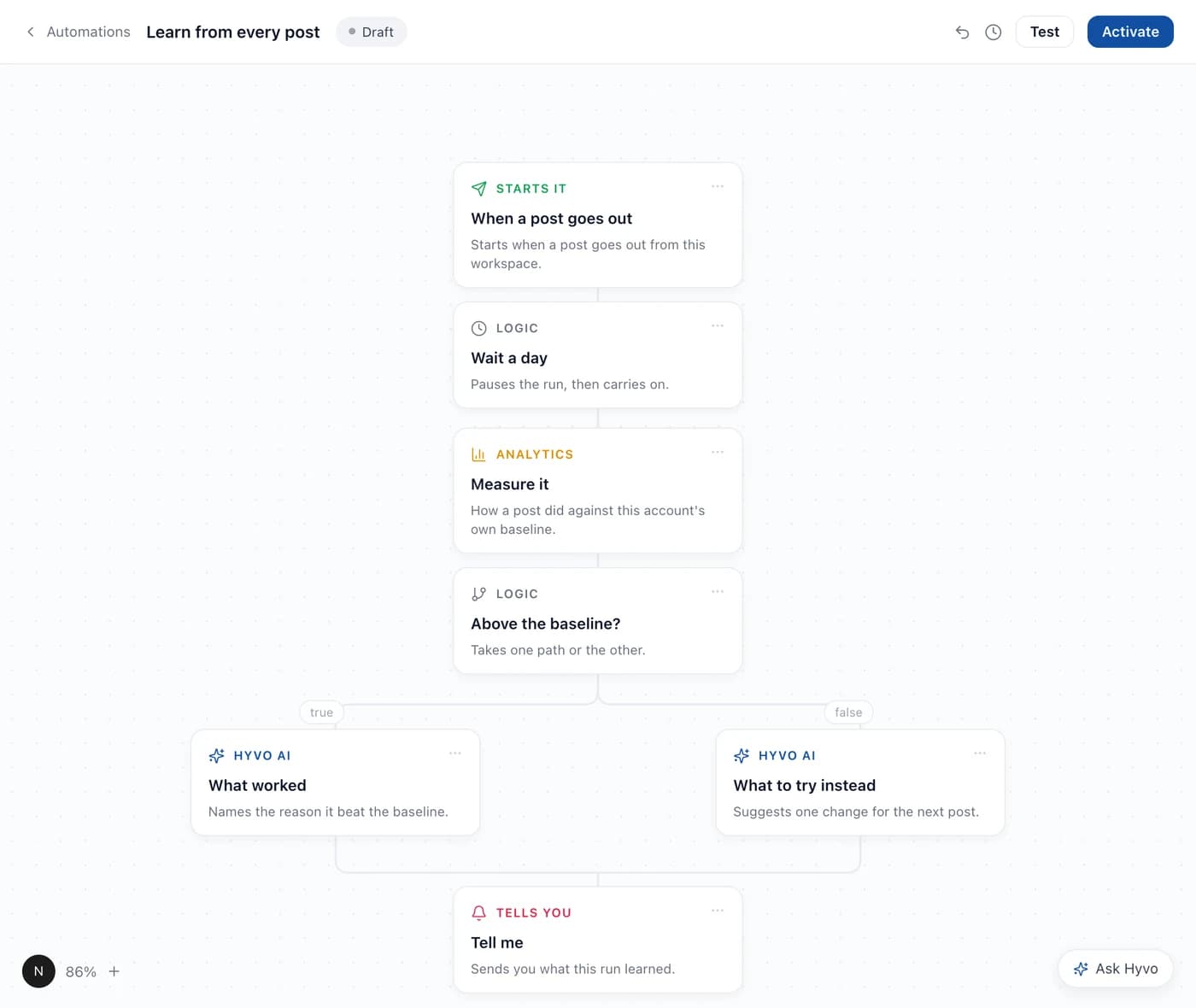
Reading that top to bottom:
A trigger starts it. Either a schedule, "every Monday at nine", or an event, "when a post goes out".
Steps do the work. Waiting, measuring something, asking Hyvo AI to analyse or draft, sending you a notification.
A logic step branches. "Did this beat the baseline?" sends the run down one of two paths, so a single workflow can handle the good case and the bad case without you building two.
Something comes out. A draft, a report, a message telling you what the run learned.
You describe it, Hyvo builds it
You do not assemble that canvas node by node unless you want to.
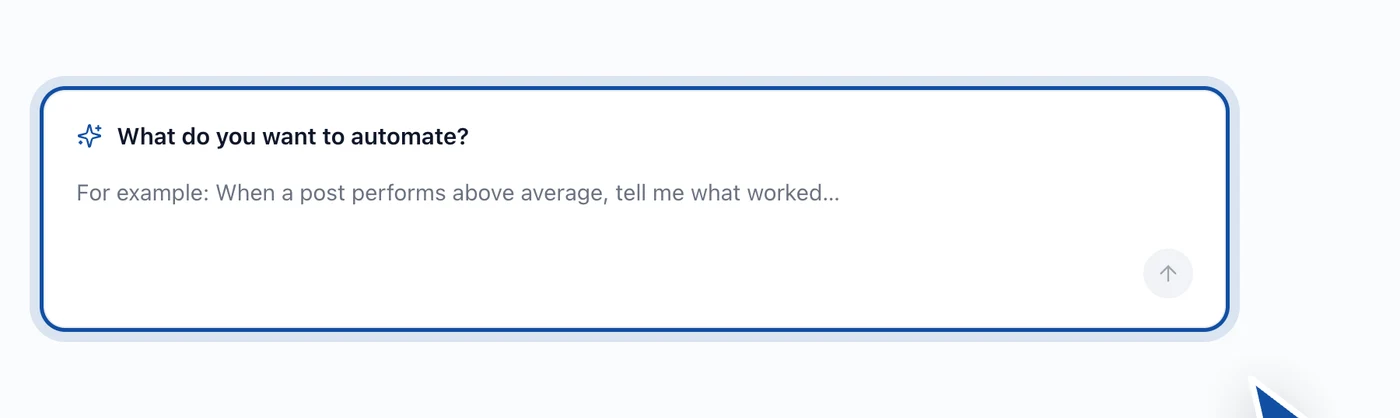
Describe the routine in a sentence and Hyvo builds the workflow.
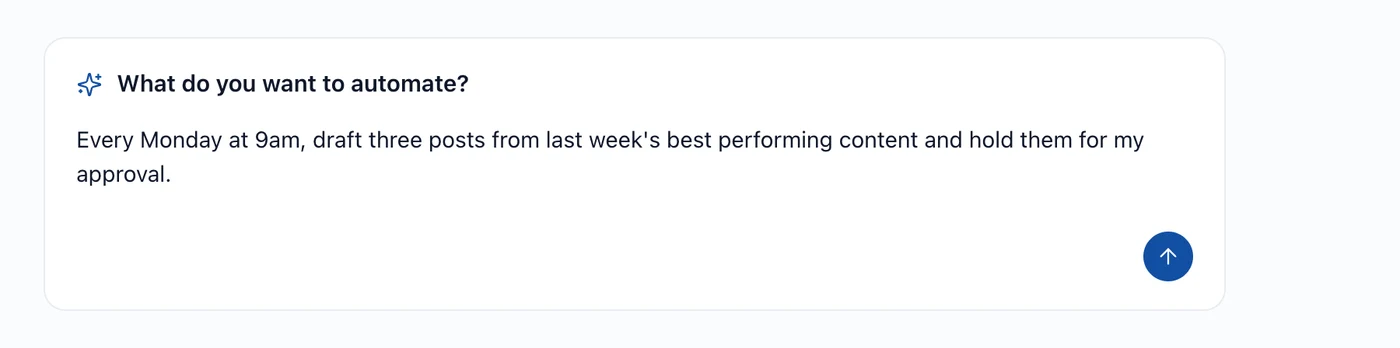
It reads what you asked for, works out which steps that implies, and lays them out for you to check.
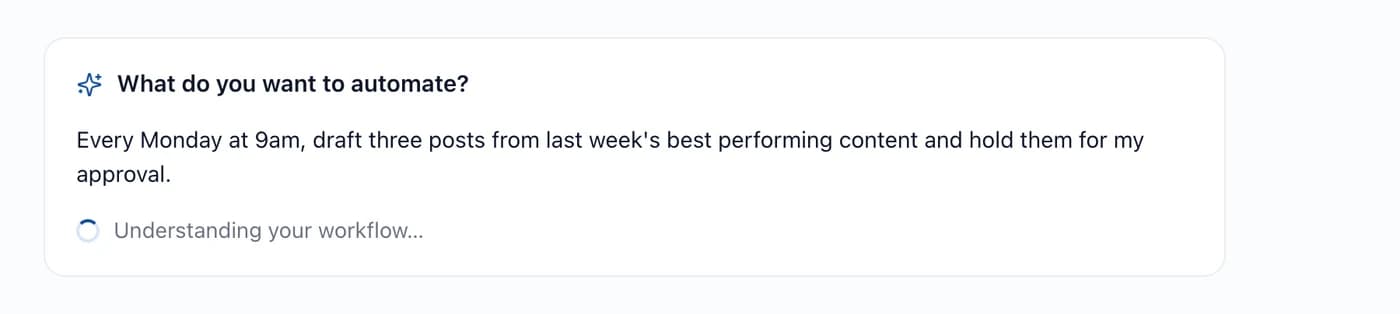
Then you edit it. The canvas is not a black box, and everything the description produced is a node you can change, remove or reorder.
What automations are good at
The honest answer is: the parts of the job that are repetitive, decided in advance, and boring enough that you skip them.
Good candidates:
- Drafting next week's posts from last week's best performers.
- Waiting a day after a post, measuring it, and telling you what it did against your own baseline.
- Turning a recurring reporting task into something that arrives without you asking.
- Checking whether something is above or below your median and reacting differently.
Bad candidates:
- Anything where the decision changes every time.
- Anything where publishing without a human read would embarrass you.
- Replying to people. That is a conversation, not a workflow.
The approval step
Any automation that produces something publishable can hold it for you first.
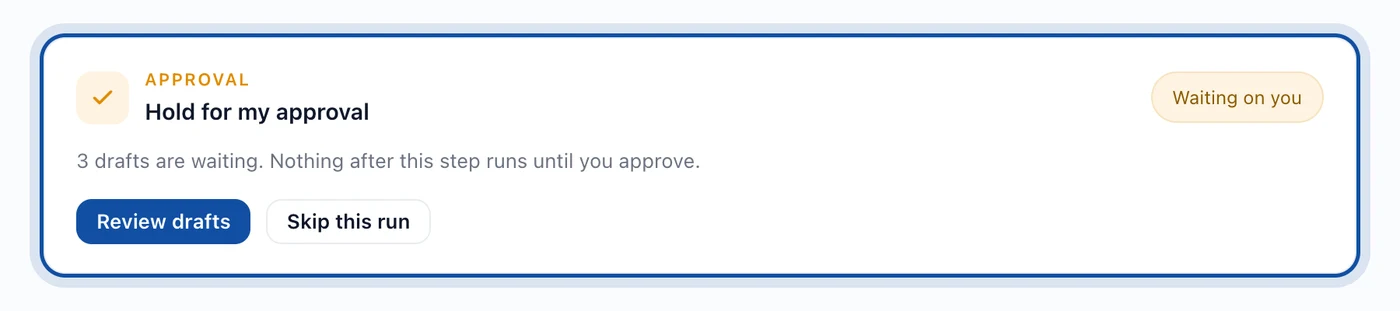
This exists because "AI posts for you while you sleep" is a bad product and a worse morning. An automation that drafts three posts and waits is genuinely useful. The same automation publishing them unread is a liability.
If a workflow writes, put an approval step in front of the publish. It costs you one click a week.
Which plans include automation
Automations are a Premium feature. The free plan covers three accounts, twenty posts and thirty AI requests a month without automations, Agent mode or research.
Where to go next
- How to create your first automation is the build.
- How to test an automation before running it is the safety net.
- What social media tasks should you automate? is the thinking about which ones are worth it.
FAQs
Will an automation post without asking me?
Only if you built it that way. Put an approval step in front of any publish and nothing goes out unread.
Do I have to build the canvas by hand?
No. Describe the routine in a sentence and Hyvo builds the workflow, then you edit what it produced.
Are automations included in the free plan?
No. Automations, Agent mode and research are Premium features.
Can an automation use Hyvo AI?
Yes. Analysing, summarising and drafting are steps you can put in a workflow, and they read from your own posts and numbers like the assistant does.
How many automations can I have?
There is no per workflow limit on Premium. The practical limit is how many routines you actually have.
About the author

Founder, Hyvo
Subarna Basnet is the founder of Hyvo, an AI-powered platform helping businesses create, manage, and automate social media marketing. He writes about AI, social media automation, content creation, and marketing technology.