How to Fix a Failed Social Media Post in Hyvo
You know it failed. This is the repair: what to change, where to change it, and how to get the post out without rewriting it.

Quick guide
Open the failed post from Posts, fix whatever the row named, and republish the same post. It keeps its text, media and channels, so you are only repeating the part that failed.
- Open Posts and open the failed post rather than starting a new one.
- Read the reason on the failing account's row.
- Fix it: reconnect the account, cut the text, or attach media.
- Republish now, or reschedule if the moment has passed.
- If it fails twice for the same reason, the cause is the account, not the post.
The full walkthrough is below.
Why a scheduled post did not publish covers the diagnosis. This is the repair, which is shorter and has one rule at the top of it.
Repair the post, do not rewrite it
The instinct after a failure is to write the post again. Do not. Open the failed one.

The post still holds its text, its media, its channel selection and its schedule. Rewriting it loses all of that and introduces a second chance to make a different mistake. Repairing it repeats only the part that failed.
The three repairs
The connection expired
Go to Connect, find the account, press Reconnect, approve the permissions again.
Then come back to the post and republish. Nothing about the post needs to change, because nothing about the post was wrong.
The post was too long
Open the post and look at the counter for the failing account. Every network has its own limit and they are far apart: 280 on X, 300 on Bluesky, 500 on Threads, Pinterest and Mastodon, 2,200 on Instagram and TikTok, 3,000 on LinkedIn.
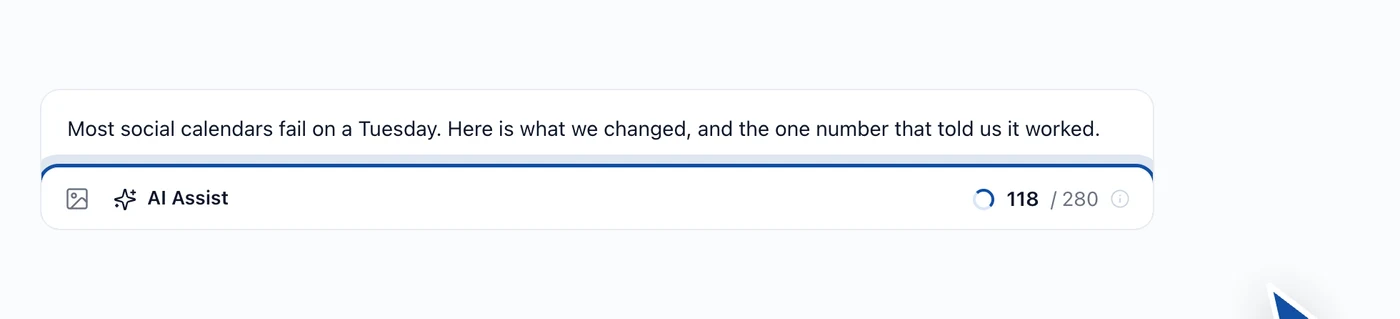
Cut the version for that account only. This is what per channel versions are for: a post that has to be 280 characters somewhere does not have to be 280 characters everywhere. AI Assist will shorten a specific channel's version if you would rather not.
Media was missing
Instagram, Pinterest and TikTok will not take a post without an image or a video. Attach one and republish.
If you do not have media and are not going to get any, remove that account from the post rather than leaving it queued to fail again. The other channels will go out fine.
Republish or reschedule
Once the cause is fixed you have two choices, and they are genuinely different decisions.
Republish now if the post is not time sensitive. Most are not.
Reschedule if it was. A launch post that missed nine in the morning does not want to arrive at four in the afternoon just because that is when you noticed. Pick the next slot that makes sense.
When it fails twice
A second failure for the same reason means the problem is the account, not the post.
The usual version of this is a connection that reconnects and then expires again quickly, which normally means the app was removed at the network's end, or the account you are reconnecting is not the one you think it is. Disconnect it in Hyvo, connect it again from scratch, and pay attention to which Page or profile the network offers you.
A second failure for a different reason is just the next thing in the list, and the post row will name it.
FAQs
Does republishing create a duplicate post?
No. You are publishing the same post again, and the one that failed never went out.
Will republishing send it to channels that already succeeded?
No. Accounts that published are done. Republishing acts on the ones that failed.
The moment has passed. Should I still publish it?
If it was about a specific day or event, no. Reschedule it or drop it. Publishing something out of time to avoid wasting the draft is how a feed ends up strange.
Can I edit the text before republishing?
Yes. Open the post, edit the version for whichever account you like, then publish.
Why does Hyvo not just retry on its own?
Because a silent retry publishes at a time nobody chose, into a context nobody checked. A failure waits for a person.
About the author

Founder, Hyvo
Subarna Basnet is the founder of Hyvo, an AI-powered platform helping businesses create, manage, and automate social media marketing. He writes about AI, social media automation, content creation, and marketing technology.