How to Connect LinkedIn to Hyvo
LinkedIn connects as a Page, publishes long form text without media, and opens no door to your existing timeline. Here is what that means in practice.


Quick guide
Connect LinkedIn from Connect in Hyvo and approve the permissions. It connects as a Page you administer, takes up to 3,000 characters, and reports reactions and comments on posts Hyvo published.
- Make sure you are an admin of the LinkedIn Page you want to publish to.
- In Hyvo, open Connect, press Connect account and choose LinkedIn.
- Sign in on LinkedIn's screen and approve the permissions.
- Pick the Page if LinkedIn offers you more than one.
- Expect reactions and comments back, but no reach figure and no timeline import.
The full walkthrough is below.
LinkedIn is one of the most straightforward networks to connect and the one with the most misunderstood limits. Nothing here is Hyvo being cautious. It is what LinkedIn's API opens and what it does not.
How to connect a LinkedIn Page
Open Connect in the sidebar, press Connect account, choose LinkedIn.
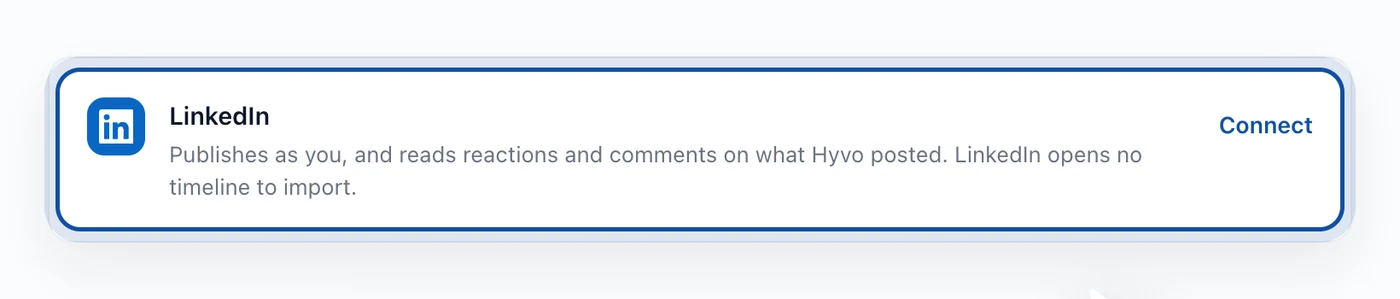
You sign in on LinkedIn's own screen and approve a permission list they show you. If you administer more than one Page, LinkedIn asks which one. Approve, and you are back in Hyvo with the Page listed.
You need to be an admin of the Page. Being a member of the company or an employee is not enough.
What the LinkedIn connection allows
Publishing. Text posts up to 3,000 characters, with or without an image. LinkedIn is the one network in the set where a long post is normal, and the composer will not stop you using the room.
Reading responses to what Hyvo published. Reactions and comments come back on posts that went out through Hyvo, and they land in the inbox alongside everything else.
Nothing about your existing timeline. This is the part worth internalising. LinkedIn's API does not open your feed, your existing posts, or comments on posts made outside Hyvo. So a LinkedIn Page you have been running for two years arrives in Hyvo with an empty history, and fills up from the day you connect it.
No reach figure. LinkedIn reports reactions and comments to this kind of connection, not impressions. Analytics shows the numbers it gets rather than inventing a denominator.
What that means for your first month
Because the record starts on the day you connect, LinkedIn analytics in Hyvo are thin at first and useful by about post ten. Everything that reads from your results, the assistant's answers about what worked, the patterns in Analytics, the automations that fire on performance, is working from posts published through Hyvo.
That is a real cost of switching tools and it is worth knowing on day one instead of week three. The upside is that once the record starts, it is complete and it is yours.
If the connection stops working
LinkedIn expires tokens periodically, and its refresh window is shorter than most. When it goes, the row says so and offers Reconnect, which walks the same permission screen. Nothing else changes.
Posts queued for an expired Page will fail rather than disappear, so reconnect before a scheduled batch rather than after it.
FAQs
Can I post to my personal LinkedIn profile?
Hyvo connects LinkedIn as a Page. Personal profile publishing is not part of the connection.
Why is my LinkedIn history empty in Analytics?
LinkedIn's API does not hand past Page posts to third party tools. The record starts the day you connect.
How long can a LinkedIn post be?
3,000 characters. The composer counts against that limit per account, so a draft that also goes to X will warn you about the 280 character version separately.
Does Hyvo show LinkedIn impressions?
No. LinkedIn does not report a reach figure through this connection, so Hyvo shows reactions and comments instead of guessing.
Can I connect several LinkedIn Pages?
Yes, up to your plan's account limit. Each Page connects as its own account.
About the author

Founder, Hyvo
Subarna Basnet is the founder of Hyvo, an AI-powered platform helping businesses create, manage, and automate social media marketing. He writes about AI, social media automation, content creation, and marketing technology.