
Work together, sign off, then publish
Each client in a workspace of its own, and nothing out until someone says yes.
Free to start. No card needed.
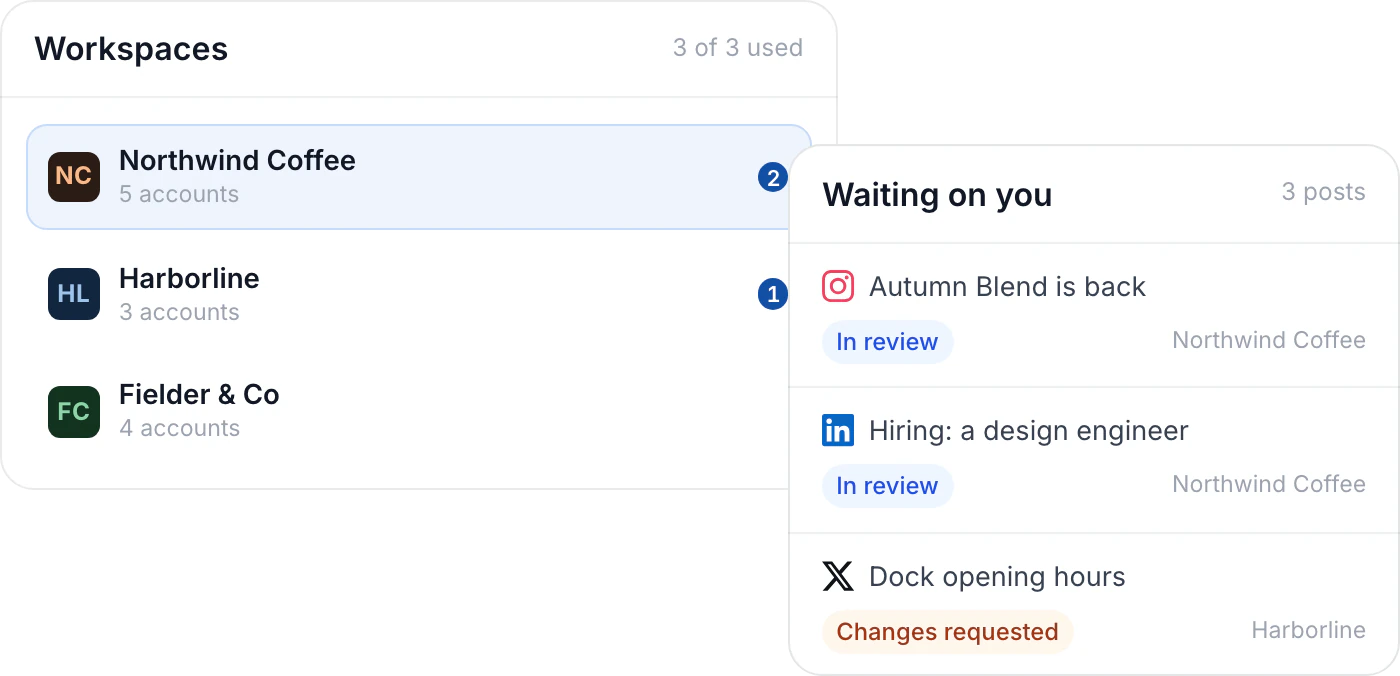
Workspaces
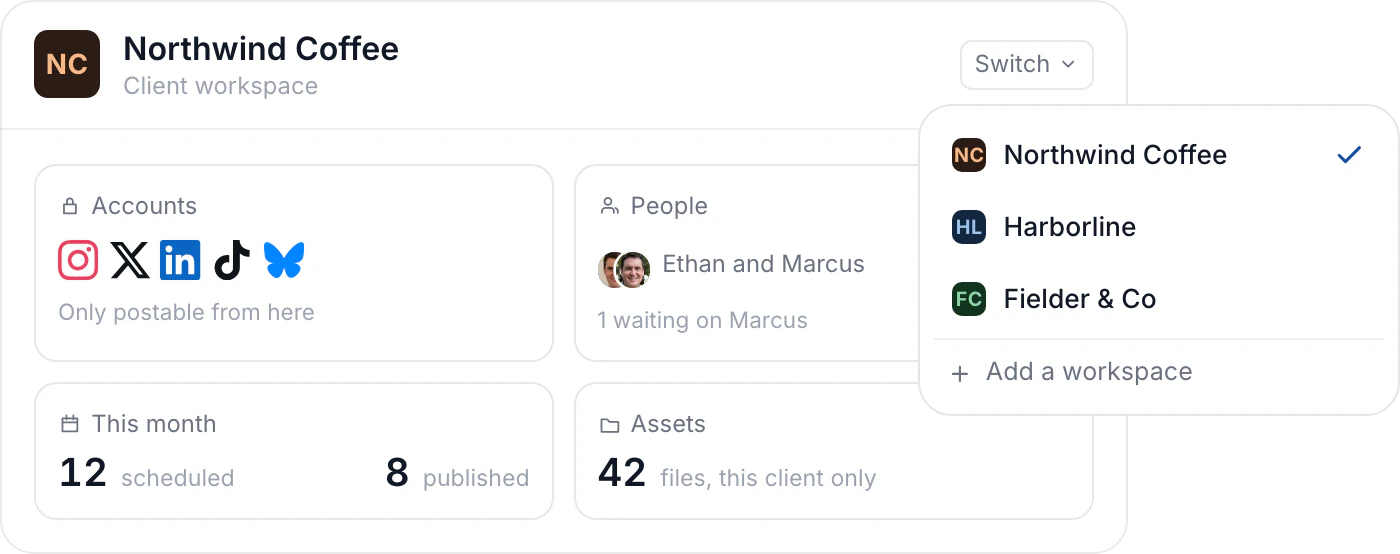
One workspace per client
Each client keeps its own accounts, calendar, assets and people. Nothing crosses over, so a draft for one brand cannot leave on another's account.
- Accounts, calendar, assets and people, kept apart
- Move between clients in one click
- Three workspaces with Agency, $9 a month for more
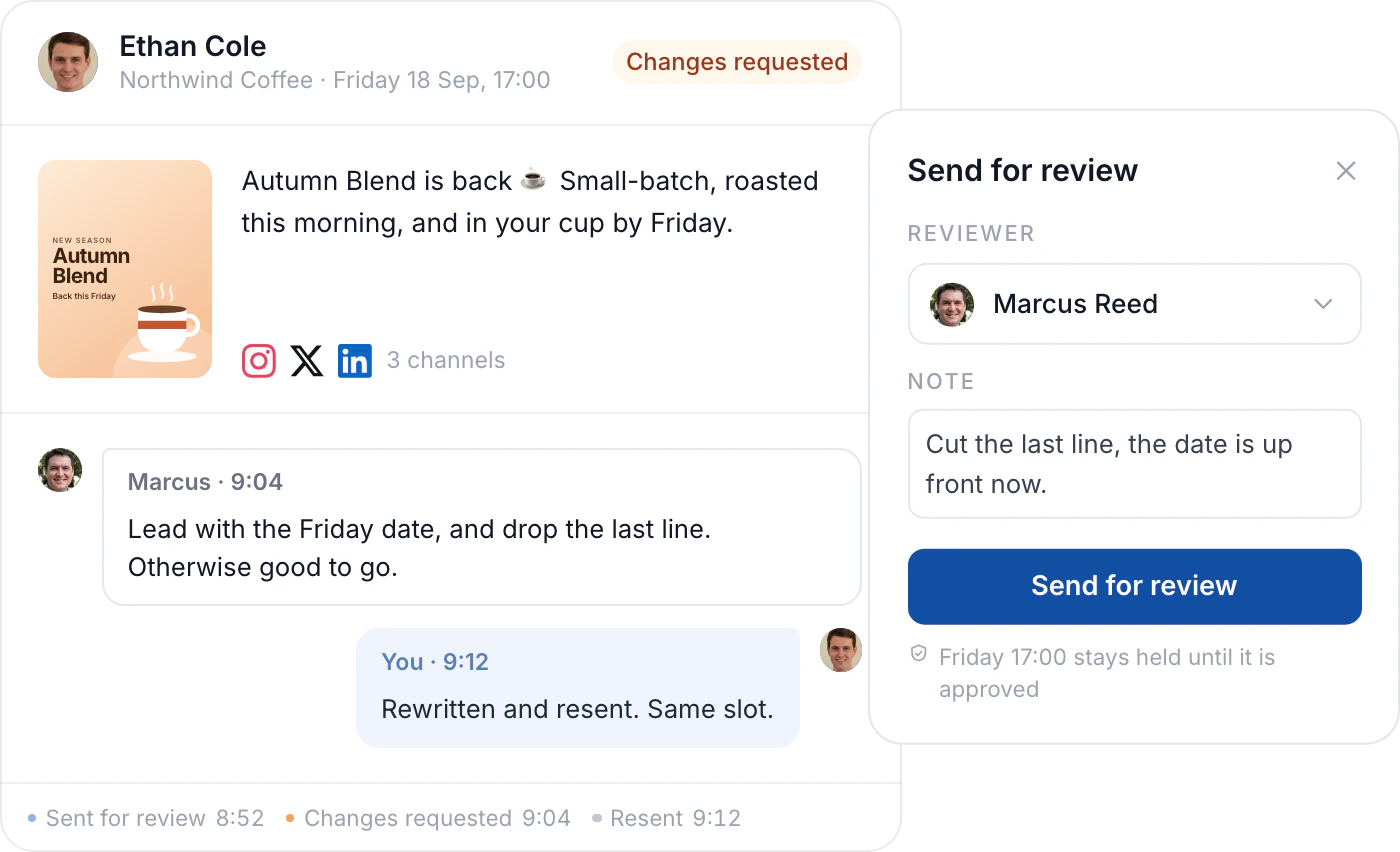
Review
Notes land on the post
Send a draft to whoever has to see it. They approve it, or they say what to change, so the next version fixes the right thing.
- In review, approved or changes requested
- The reviewer sees the copy, images and channels
- Full workflows on Agency and Business
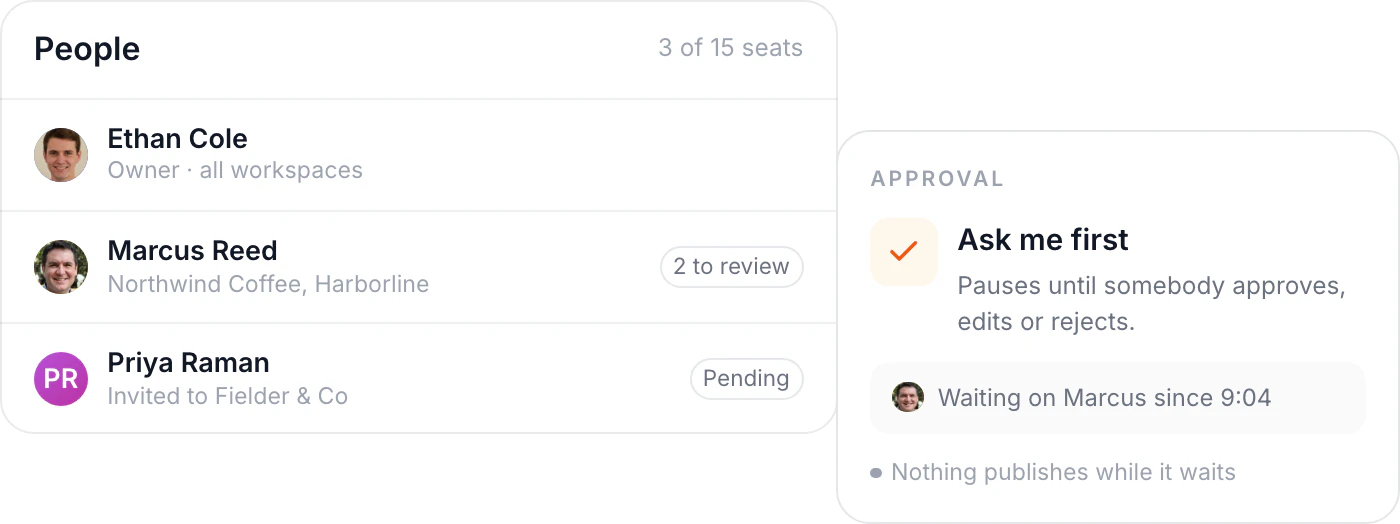
Your team
Everyone in one place
Add the people who write, review and sign off, and see what is sitting with each of them. A routine that publishes waits for the same yes.
- Up to 5 people on Premium, 15 on Agency
- Client and team management on Agency
- Automations hold anything sensitive
What keeps work moving
The parts that matter once more than one person touches a post.
Sign-off first
A post can wait until the person accountable has read it.
Clients stay apart
Accounts, drafts and assets belong to one workspace only.
Routines ask first
An automation stops and waits on anything sensitive.
A calendar each
Every workspace keeps its own calendar and queue.
Reports in your name
White-label reports on Agency and Business.
The voice stays put
Brand Memory works from each client's own posts.
Questions about working as a team
How do client workspaces keep work apart?
Each one holds its own accounts, calendar, assets and people, and nothing crosses between them. Agency includes three, and more are $9 a month each.
Who can approve a post?
Whoever you put in the approval chain. Any plan can hold a post; Agency and Business add named reviewers and client sign-off.
What happens when someone asks for a change?
The post goes back with their note on it and stays out of the queue. Edit it, send it again, and it publishes once approved.
Do automations need approval too?
They can. Automations run only when you switch them on, and Hyvo Agent holds anything sensitive.
How many people can I add?
One on Free, up to 5 on Premium, up to 15 on Agency. Business is sized around your team.
Can clients see results without a login?
Yes. Reports download or share as a link, with your branding on Agency and Business.